How to play / Gameplay Party Blueprint
Guides & news
Gameplay Party Blueprint
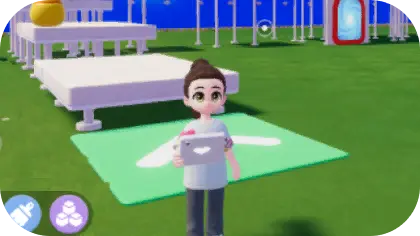
On the Gameplay Blueprint page, you can create and verify gameplay blueprints.
To verify a gameplay blueprint, you need to place the necessary components, which can be purchased from Bob's Special Home Decor Store.
Select a gameplay blueprint with all required components placed, start verification, and complete the goals to succeed.
More tutorials
About the Gold MerchantAdd FriendsAdvanced Build FeatureAdvanced Build ModeBeaver Cup Build ChallengeBrushBuild ElevatorBuild ModeCat CaringChange Handheld Item SettingsChatCollectionDifferent CropsDog CaringDoor, Window, Brushing & Roof ConstructionDryland Dragon BoatDye FurnitureFashionwaveFashionwave Catalog GuideFashionwave Memory JournalFeed the cat.Free PartyFree-Spirited Coffee UmbrellaFriend RequestFriend RequestFriends InteractionFurniture EvaluationGrimkin Night Trick-or-TreatHandheld Item GuideHead to SeamountHead to SeamountHide & Seek Party GuideHost a gameplay party.How to BirdwatchHow to Catch InsectsHow to Clean the OceanHow to CookHow to Cultivate FlowersHow to Cultivate FlowersHow to Cultivate FlowersHow to Cultivate FlowersHow to Cultivate FlowersHow to FishHow to Make Sand SculpturesIce Skating Challenge ModeIce Skating FeatureInvestigative Journalist GuideMapMemorable MomentsMysterious Grimkin Host GuidePaintPainting Interface GuideParty Blueprint VerificationParty SystemPlant Tending RangePlay with CatPumpkin CarvingPumpkin CarvingPuzzleRoller Coaster Ride GuideRoller Coaster Track ConstructionRoofRoom SetSea Fishing EventSet off FireworksSnow SculptingSnow SculptingSwitch Interaction ModeUnlock Build ModeUnlock Building Material EditorUpgrade Friend LevelUse BaitUse Builder TabletUse EmoteUse Fish TankUse PerchUse Repair KitUse Repair KitUse Repaired DollUse VehicleUse VivariumUtopia Building Proposal (Phase II)View ProfileWait for Crops to MatureWall & FlooringWeekly RequestWinter Frost Season Prep